Template List
When you open the Mobile Credential Templates page, you'll see a list of all your templates. This is your starting point for managing how mobile IDs are set up in your organization.
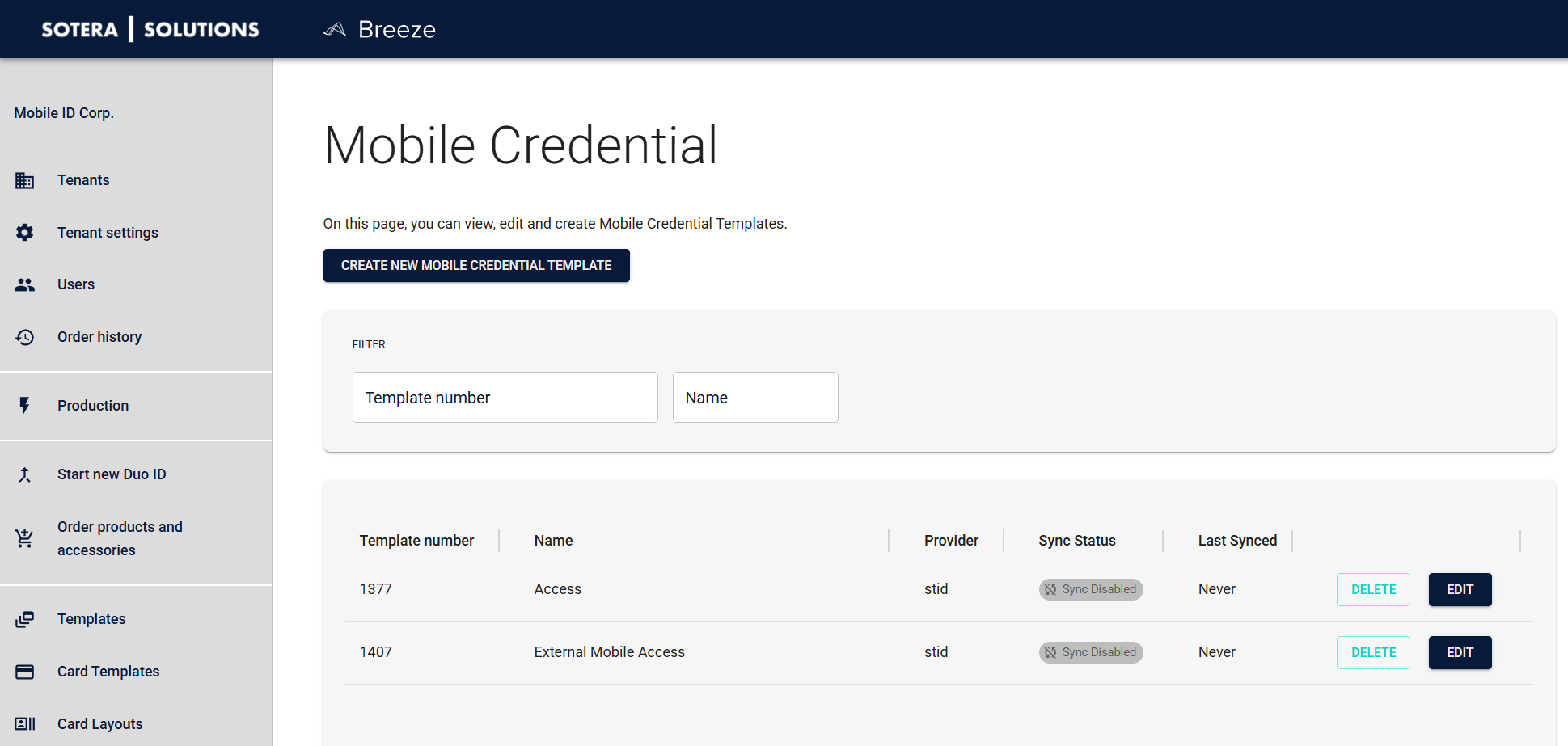
What you'll see
Each template in the list shows:
- Template Number — A unique ID that helps you identify templates at a glance
- Name — The name you gave the template (hopefully something descriptive!)
- Provider — Which mobile ID provider it uses (currently STid Mobile ID)
- Sync Status — Whether automatic synchronization is turned on or off
- Last Synced — When it last synchronized with the provider (shows "Never" if it hasn't synced yet)
- Actions — Quick access to edit or delete buttons
Working with templates
Most of what you'll do starts from this list:
- Create new templates — Set up a new template when you need a different configuration
- Edit existing templates — Make changes to settings, provider credentials, or sync behavior
- Delete templates — Remove templates you no longer need (be careful—this can't be undone)
Finding what you need
As your list of templates grows, you'll appreciate the filtering options. Say you know the template number you're looking for, or you remember it had "Production" in the name—filters help you find it quickly without scrolling.
Filter by template number
If you know the exact template number, enter it here for a precise match. Useful when you're working with a specific template and already have its number.
Filter by name
Type part of the template name to find matches. This is helpful when you remember the template's purpose (like "Corporate" or "Remote Workers") but not the exact name.
Quick tip: Combine both filters to narrow down results even further. And if you've applied filters but want to see everything again, just clear them.
What's next?
- Creating Templates — Learn how to create your first template
- Editing Templates — See what you can configure in the template editor