Managing Parcel Profiles
Parcel profiles are reusable presets that store a package name and dimensions. When a Warehouse Operator creates a consignment, they can select a profile instead of entering dimensions manually each time.
Required Roles
Required roles: System Admin + Warehouse Operator task role on the Production Site Tenant
Create a parcel profile
- Navigate to Tenant Settings → Production Settings.
- Click the Settings button in the Axia Frakt section.
- Click + Add profile to create a new parcel profile.
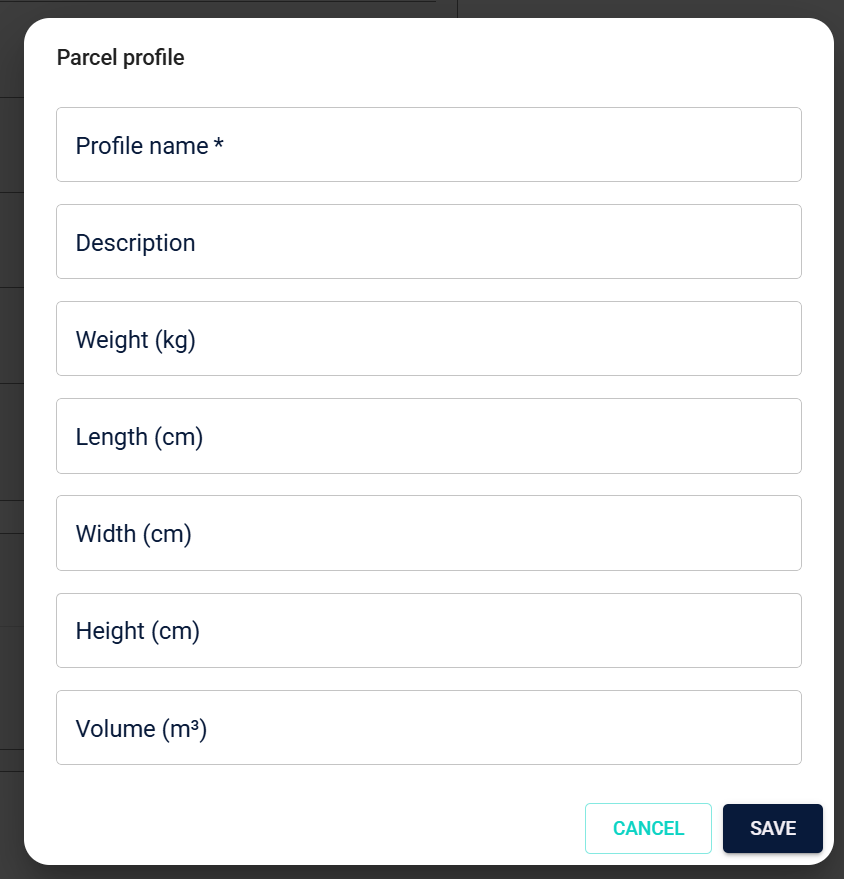
- Enter a name and optional description.
- Enter the package dimensions: weight, length, width, and height.
- Click Save.
Expected outcome: The profile is available as a selection in the Create consignment dialog. Selecting it pre-fills the dimension fields in the dialog.
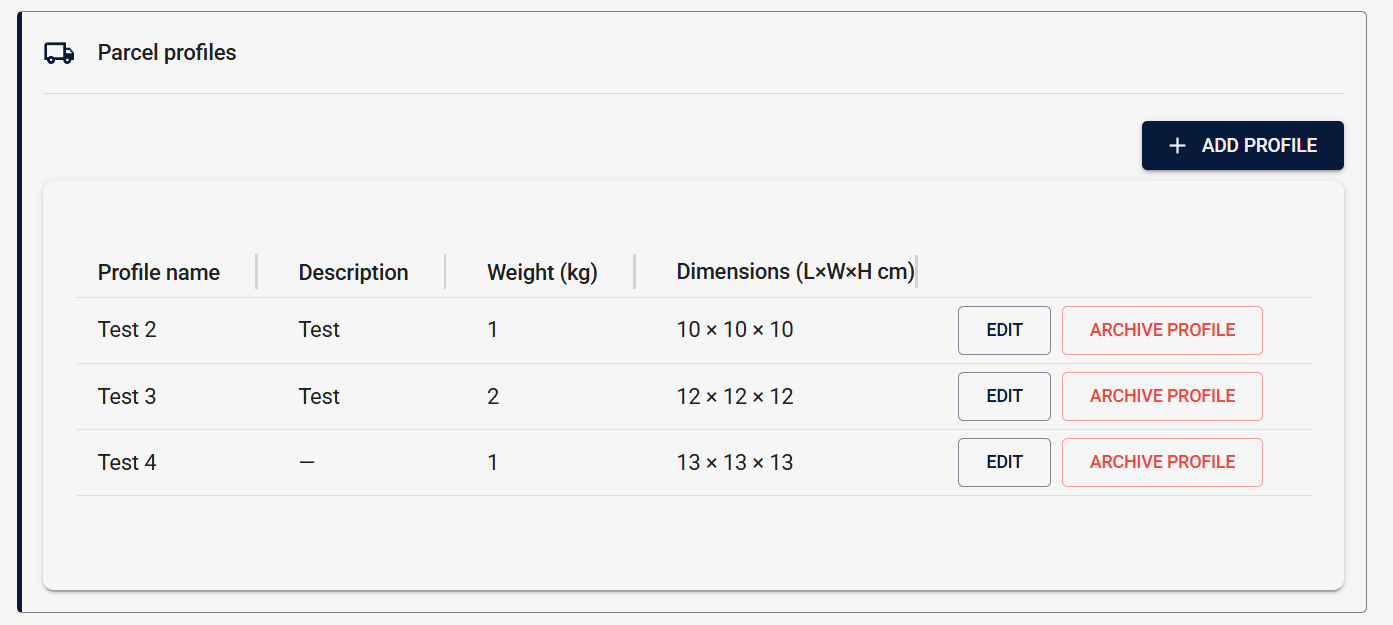
Caption: The Parcel Profiles list in Tenant Settings → Production Settings.
Edit a profile
- Select the profile from the list.
- Update the dimensions or name.
- Click Save.
Archive a profile
- Select the profile.
- Click Archive.
warning
Archived profiles cannot be restored. If you need a profile with the same dimensions again, create a new one.
Expected outcome: The archived profile no longer appears as an option in the Create consignment dialog.
Limitations
- Parcel profiles are scoped to a single Production Site Tenant — they are not shared across Production Sites.
What's next?
- Creating Freight Consignments — use parcel profiles when creating a consignment