Terms and Conditions Management
Managing Terms and Conditions (T&C) for your domain is essential for legal compliance and user transparency. This overview will help you understand the key features and capabilities.
Quick Start Guide
- Go to Domain Administration → Select your domain → Terms and Conditions
- Click MANAGE TERMS & CONDITIONS
- Enable Terms and Conditions using the toggle switch
- Click UPDATE TERMS to create your first version
Key Features
- Content Management: Create and edit terms using a Markdown editor with live preview
- Version Control: Track changes and manage multiple versions of your terms
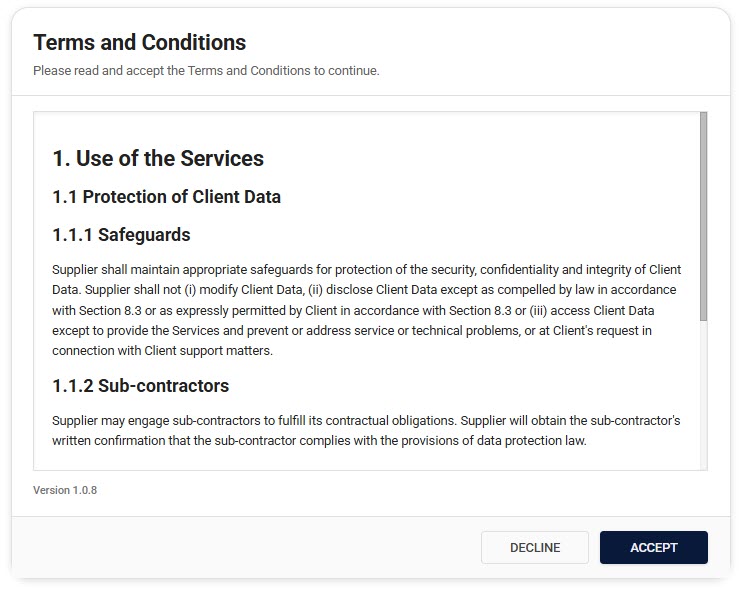
- User Acceptance Flow: Automated system for user acceptance of new terms
- Admin Dashboard: Comprehensive management interface for terms and conditions
Documentation Guides
- Setup Guide - Step-by-step instructions for initial configuration
- Content Management - Guidelines for creating and formatting content
- User Acceptance Flow - Understanding how users interact with terms
Frequently Asked Questions
Who needs to accept the terms?
All users must accept your terms before accessing your services. This includes:
- New users during their first login
- Existing users when terms are updated
What happens when terms are updated?
When you publish a new version:
- Users will be notified on their next login
- They must accept the new terms to continue
For detailed information about managing versions and user notifications, see the Content Management Guide.
Need Help?
Contact support for additional assistance or refer to our detailed guides linked above.