Password Reset
If you’ve forgotten your password or need to reset it, follow these steps to regain access to your Breeze account. This guide will walk you through each step based on the images below.
Step-by-Step Guide
1. Access the Login Screen
- Open Breeze and go to the Login screen.
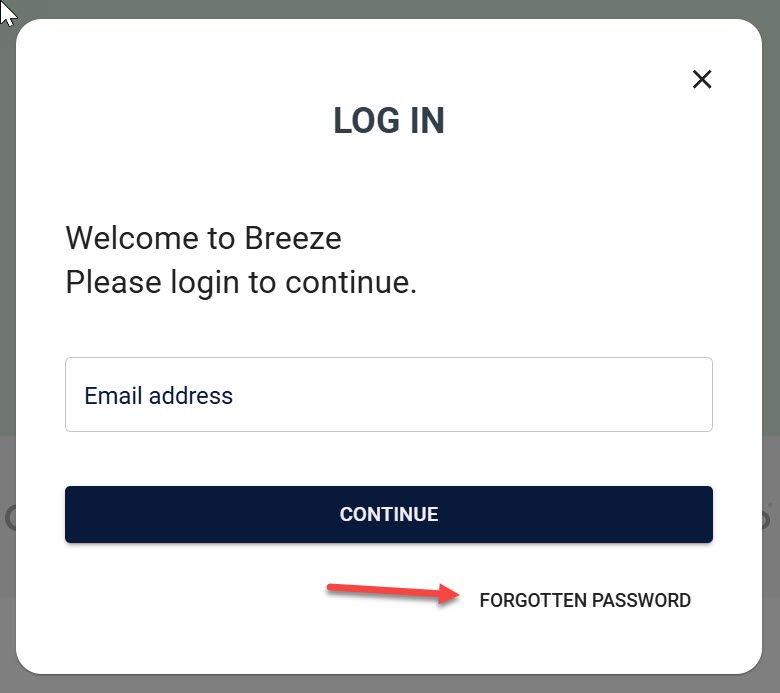
2. Open the Forgotten Password Screen
- If you've forgotten your password, click the Forgotten Password link.
- This will take you to the Forgotten Password screen, where you can initiate the reset process.
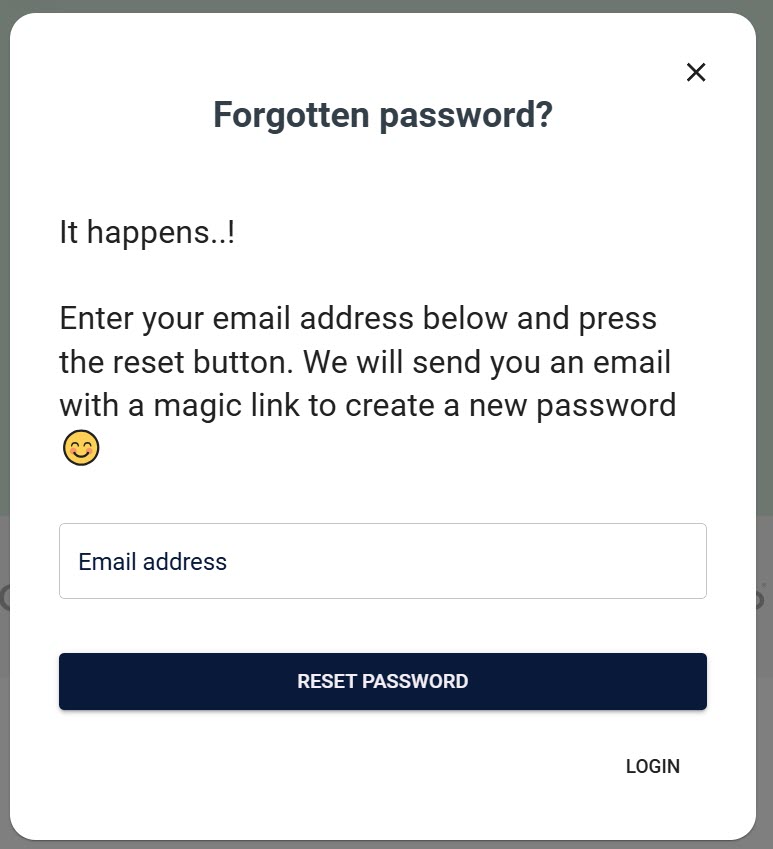
3. Request a Password Reset
- On the Forgotten Password screen:
- Enter your Email address in the field provided.
- Click Reset Password to request a password reset.
- You should see a confirmation message indicating that a reset link has been sent to your email.
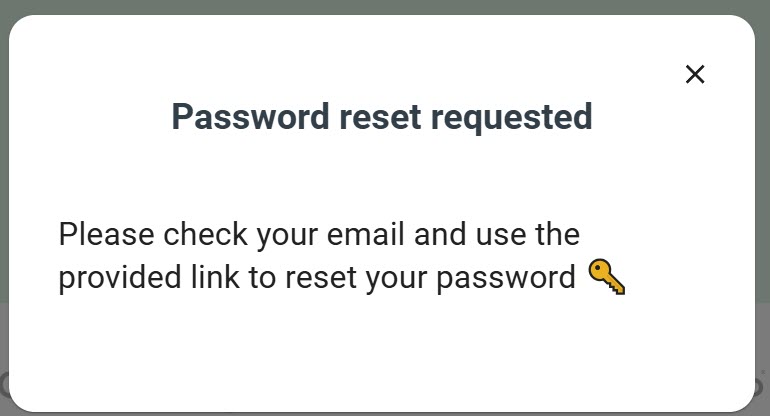
4. Check Your Email for the Reset Link
- Open your email inbox and look for an email from Breeze (check your spam or junk folder if it’s not in your inbox).
- The email will contain a link to reset your password. Click on the link to continue.
5. Create a New Password
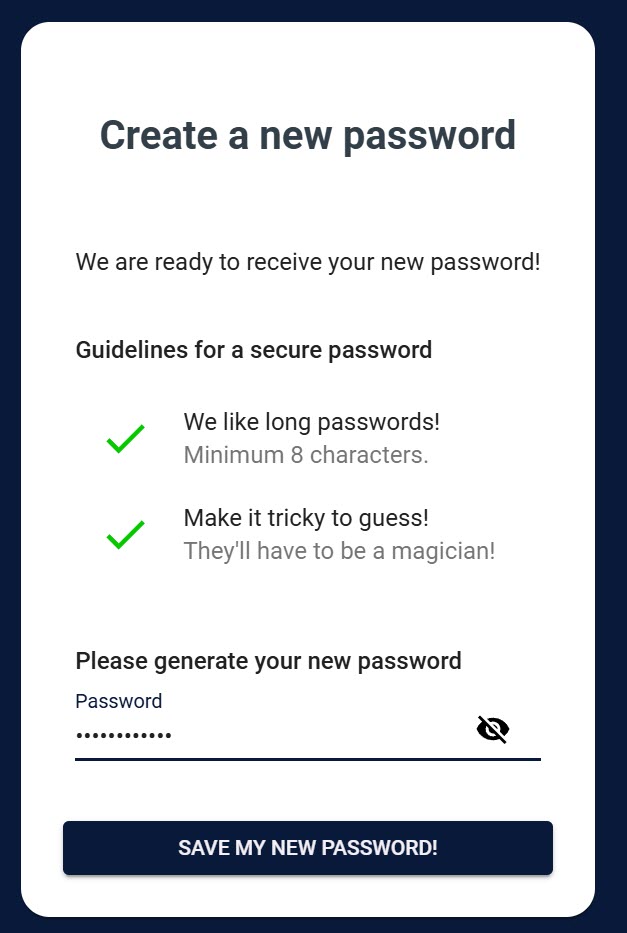
- After clicking the link, you'll be directed to the Create a New Password screen.
- Follow the password guidelines for a secure password:
- Minimum of 8 characters.
- Include at least one letter, one number, and one special character.
- Enter your new password and click Save My New Password.
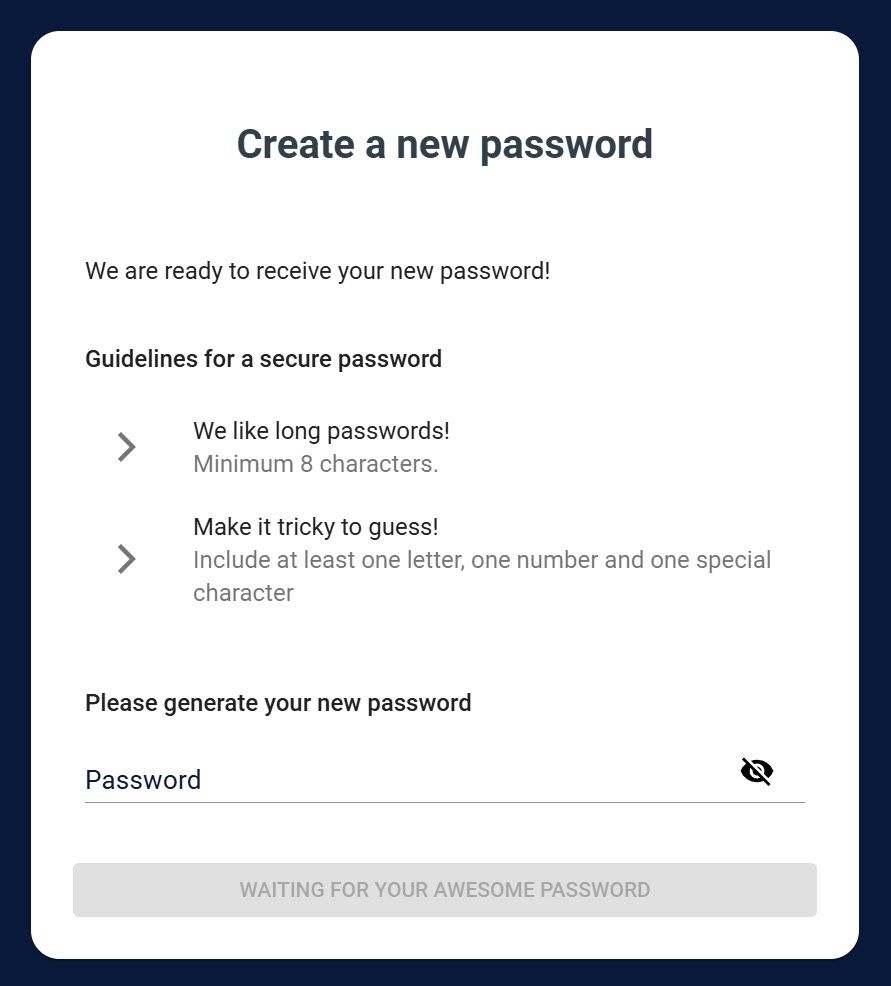
6. Confirm New Password
- Once you’ve entered a valid password that meets all security requirements, the guidelines will display green checkmarks.
- Click Save My New Password to finalize the reset.
7. Password Set Confirmation
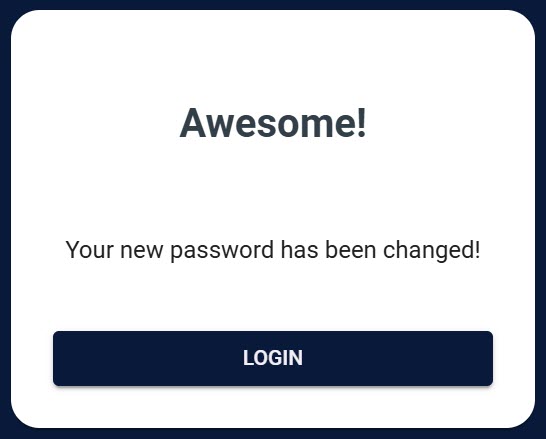
- You should see a confirmation message indicating that your password has been successfully reset.
- Click Login to return to the login screen and access your account with the new password.
Troubleshooting Tips
- Didn’t receive the reset email? Check your spam or junk folder. If the email isn't there, wait a few minutes and try requesting a reset again.
- Link expired or not working? Go back to the Forgotten Password screen and request a new reset link.
- Password not accepted? Ensure that your password meets all security requirements listed on the Create a New Password screen.
If you encounter further issues, please contact Breeze Support for assistance.